













Wave Editor
Wave Editor Unblocked
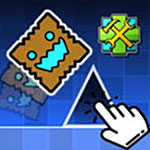
Wave Editor is a creative rhythm-based editor game where you design your own wave-style levels and test precise timing skills. Build challenging paths, adjust slopes and gaps, and fine-tune difficulty to create smooth or extreme wave courses. This unblocked school game is free, safe, and runs online on Chromebook with no download required.
The core of Wave Editor is creativity mixed with skill. You’re not just playing levels—you’re shaping them. By placing obstacles and adjusting layouts, you control the flow and challenge of each stage. Once your level is ready, jump in and test it yourself to see how timing, rhythm, and control come together. Every small change can dramatically affect how a level feels.
Wave Editor rewards experimentation. You can start with simple designs to learn wave control, then gradually build faster, tighter paths that demand perfect precision. The satisfaction of completing a level you designed yourself makes the experience uniquely rewarding. Whether you enjoy creating or mastering tough rhythm challenges, Wave Editor offers endless replay value.
How to Play
Design a wave level by placing obstacles and paths, then control the wave to navigate through your creation without crashing.
Controls
-
Spacebar / Arrow Keys: Control wave movement.
-
Keyboard Keys: Switch tools and test levels in editor mode.
Tips & Tricks
-
Start with wide paths before creating tight sections.
-
Test your level often to adjust difficulty smoothly.
-
Use rhythm and flow instead of random obstacles.
-
Practice wave control in slower sections before speeding up.
FAQ
Q: Can I play Wave Editor unblocked at school?
A: Yes, it’s a safe unblocked school game playable in the browser.
Q: Do I need to download anything?
A: No, the game runs free online with no download required.
Q: What makes it fun?
A: Designing your own wave challenges and mastering precise rhythm control makes every session creative and rewarding.